

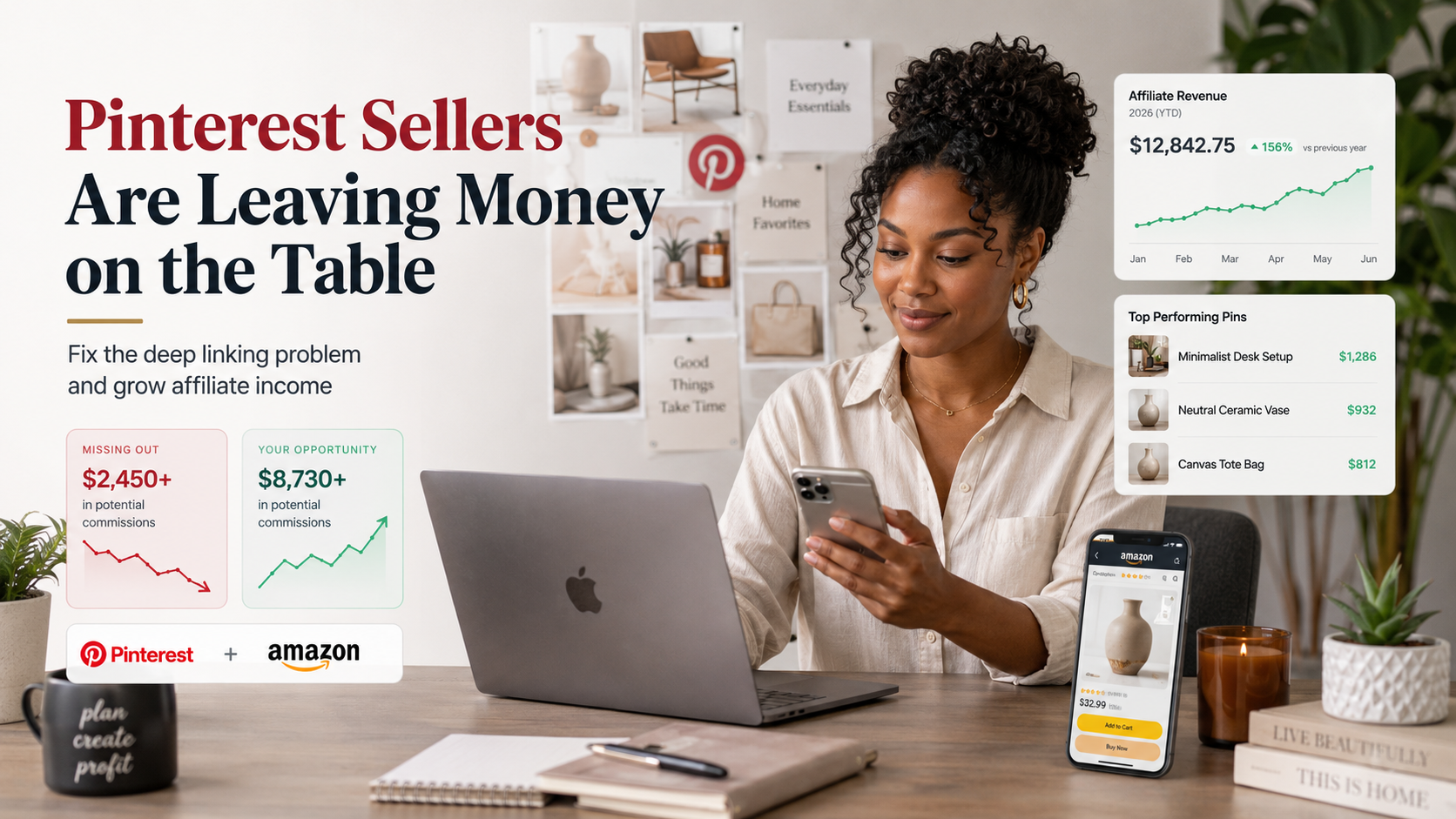
- Most ‘deep link’ tools (like GeniusLink) don’t work with Pinterest, resulting in lost Amazon sales commissions – even if you see clicks.
- Verified tests confirm only a select few tools (notably Post App) reliably trigger Amazon’s mobile app and commissions on Pinterest.
- Switching your Pinterest links now can rescue income and future-proof your social commerce workflow – step-by-step tutorial below.
Introduction: Why Most Pinterest Sellers Are Leaving Money on the Table
Here is a scenario that will sound painfully familiar to thousands of creators: you are posting consistently, your Pinterest analytics show healthy impressions and outbound clicks, and yet your Amazon commission dashboard is practically empty.
You are not shadow-banned. Your content is not bad. The problem is almost certainly technical, and it is costing you real income every single day.
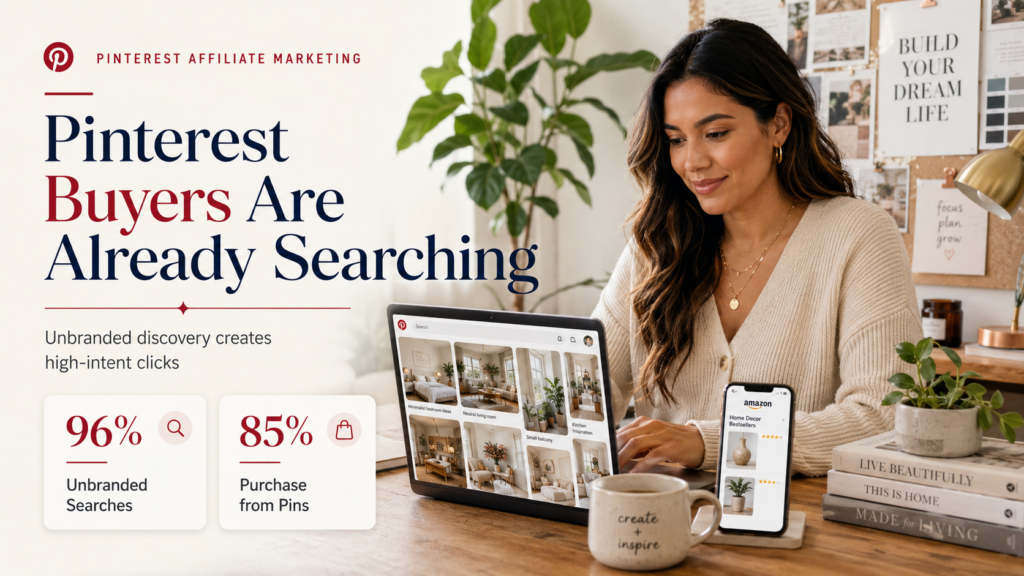
In 2026, Pinterest became one of the most powerful discovery channels for Amazon affiliates. With 85% of weekly Pinterest users making purchases based on Pins they discover, and 96% of searches being completely unbranded, the platform is full of buyers who are actively looking for recommendations and ready to act.

But the same platform has a deep structural problem, one that kills commissions before they even start, and most creators do not know it exists.
This guide covers both issues in full: the deep linking problem that is draining your earnings, and the compound revenue strategy that top creators are using to multiply what they make per click.
Whether you are just getting started or have been running Pinterest affiliate campaigns for years, there is something here you can act on today.
Part 1: The Deep Linking Problem Nobody Warned You About
What “Deep Linking” Means and Why It’s Important
A deep link is a URL that opens a specific product directly inside a mobile app, in this case, the Amazon shopping app, rather than a web browser. This distinction matters enormously for commissions.
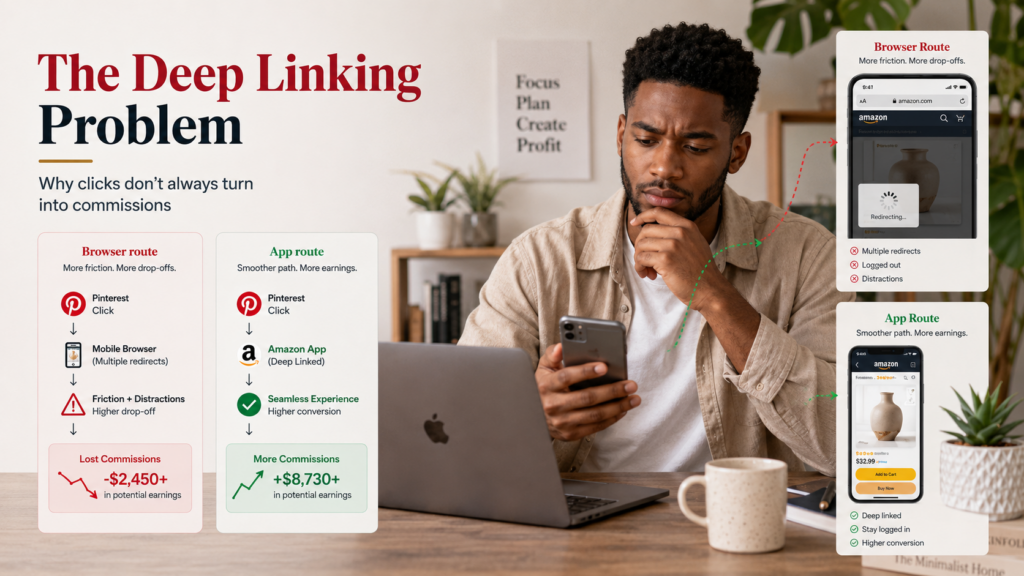
When a user clicks your affiliate link and lands inside the Amazon app, they are already logged in, their payment details are saved, and friction is near zero.
When they land in a mobile browser instead, they are often not logged in, the experience is clunky, and attribution breaks down. Your affiliate tag can fail to register the sale even if the person goes on to buy.
The hard truth is that Pinterest’s mobile app actively interferes with most deep linking solutions. The way it handles outbound links defaults most redirects back to the browser, stripping the very thing that makes mobile affiliate marketing work.
For years, creators have used legitimate, well-regarded services to build smart affiliate links. But it simply does not work for Pinterest-to-Amazon flows.
As Andreea (@Kindly.Connected), one of the Pinterest and Amazon affiliate community’s most-followed strategists, shared after discovering the issue firsthand:
“I POSTED A BUNCH OF PINS WITH GENIUS LINK… AND ABOUT A MONTH WENT BY, AND I KEPT CHECKING MY ANALYTICS, AND THERE WERE NO SALES… SO I REACHED OUT TO GENIUS LINK, AND THEY SAID, YES, UNFORTUNATELY, Genius Link does not work with Pinterest. PINTEREST REALLY DOES NOT LIKE ANY DEEP LINKS AT ALL.”
This is not a minor inconvenience. Creators have reported 100,000+ Pin impressions and dozens of outbound clicks from Pins using GeniusLink, with zero Amazon commissions to show for it. The clicks are real. The income is not registering because the links are broken at the tracking level.
What Works and What Does Not
After extensive community testing, here is where the major tools currently stand:
GeniusLink:** Not compatible with Pinterest for Amazon deep linking. Links open in the browser rather than the Amazon app. Do not rely on it for Pinterest-to-Amazon flows.
Bitly, JotURL, and URL shorteners generally: Often rejected outright by Pinterest, which flags shortened links as potential spam. No deep link capability. Avoid entirely.
URLgenius and ShopMy: These technically work in the sense that they produce a deep link, but users encounter multiple confirmation screens before landing in the Amazon app. Each extra tap is a drop-off point, and the friction meaningfully hurts conversions.
Post App: Currently, the only third-party service confirmed (as of 2026) to reliably trigger the Amazon mobile app directly from a Pinterest Pin without excessive interstitial screens. This is the tool that creators have switched to after discovering the commission gap, and results have been immediate.
Pinterest’s native Amazon integration: Pinterest allows you to link your Amazon Storefront and tag products directly, with affiliate links applied automatically. However, even this official integration does not guarantee the Amazon app opens on click.
It gets you partway there and is still worth using for its other benefits, but it is not a complete solution to the deep linking problem.
Why This Matters More Than Ever in 2026
Amazon has been steadily tightening commission structures and eligibility requirements over recent years.
With rates already compressed in many categories, creators cannot afford to let technically valid clicks go untracked.
If your Pinterest traffic is sending people to a browser rather than the app, you are paying the cost of content creation, scheduling, and audience building, and Amazon is not paying you back.
The fix is not complicated. It requires switching your most important Pin links to a tool that works. But it requires knowing the problem exists in the first place.
Part 2: The Compound Revenue Strategy That Is Changing What Pinterest Pays
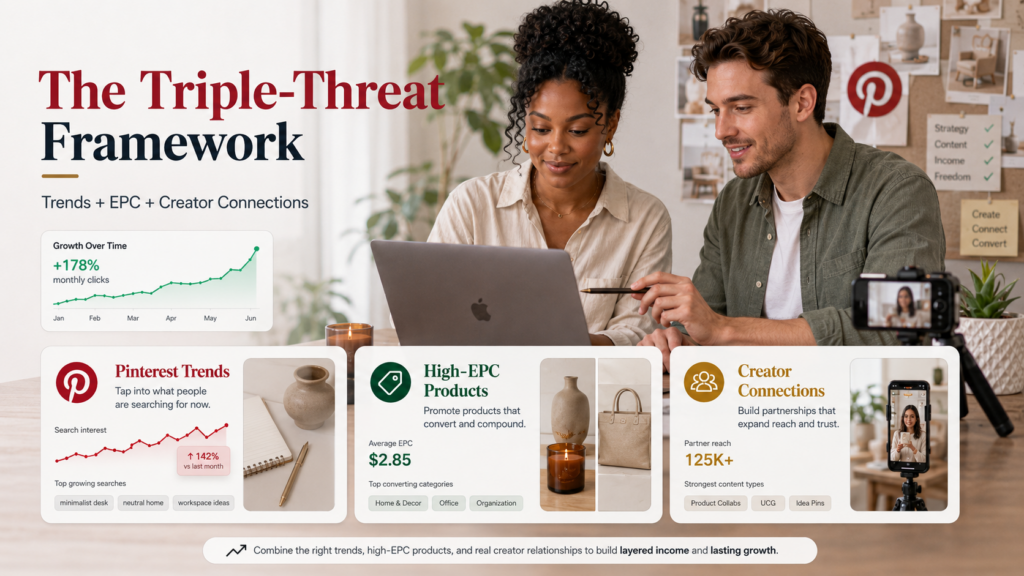
Beyond Standard Affiliate Links: The Triple-Threat Framework
Fixing the deep linking issue rescues existing commissions. The strategy in this section creates new ones, sometimes dramatically more.
The creators generating the most income from Pinterest-to-Amazon campaigns in 2026 are not just posting product images with affiliate links.
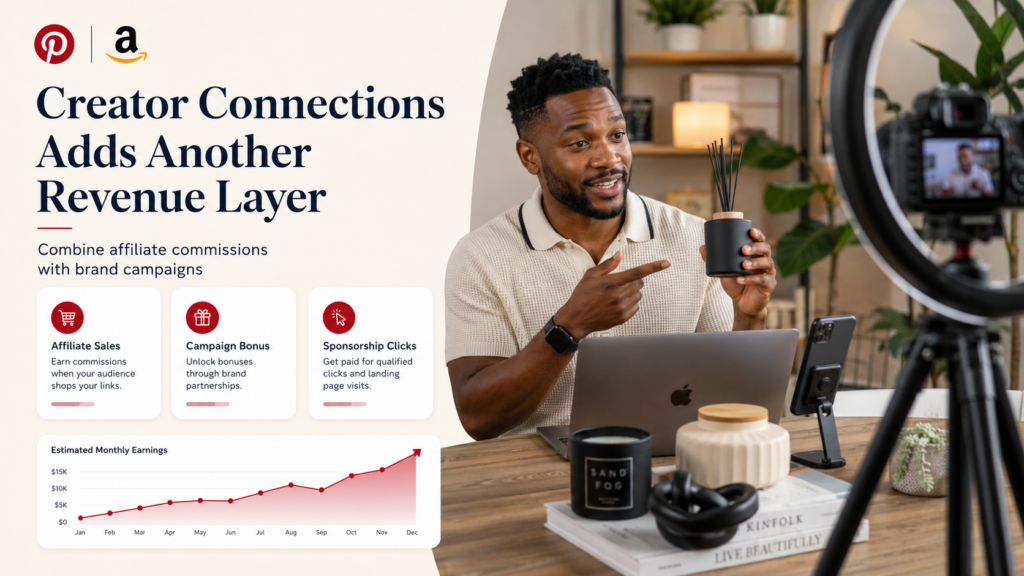
They are layering three revenue variables together: Pinterest trend alignment, high EPC (earnings-per-click) products, and Amazon Creator Connections campaigns. When all three overlap, every click can trigger multiple income streams at once.
Andreea (@Kindly.Connected), who has become one of the most-cited voices in this space, explained the approach in her own words:
“IF YOU PROMOTE ON PINTEREST, PRODUCTS THAT HAVE BOTH A CREATOR CONNECTIONS CAMPAIGN AND THE SPONSORED PRODUCTS, OR EARNINGS PER CLICK, AND YOU COMBINE THOSE WITH TRENDS, THAT IS WHERE I’VE BEEN MAKING THE MOST MONEY, AND I JUST STARTED DOING THIS LAST WEEK… SO EVERY CLICK IS GONNA BE A WINNER GOING THAT ROUTE.”
This is worth unpacking properly, because each element of the framework is doing a specific job.
Understanding EPC: The Metric That Changes How You Select Products
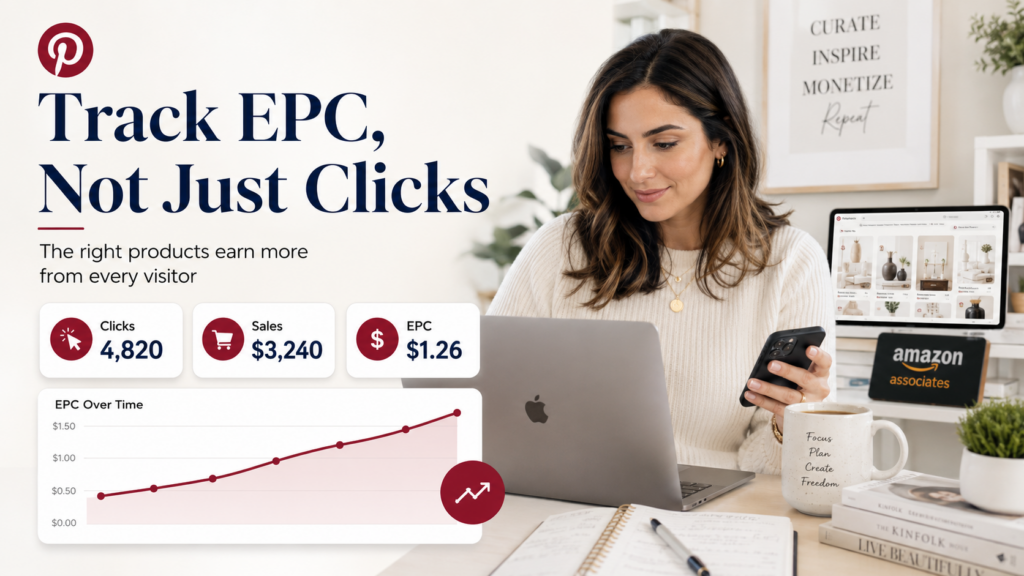
EPC (earnings per click) is the average revenue generated per click on your affiliate link. Most new affiliates focus on commission percentages, but experienced creators look at EPC because it accounts for the full picture: commission rate, product price, and how likely visitors are to convert.
A product paying a 10% commission on a $20 item gives you $2 per sale. If one in twenty clicks converts, your EPC is $0.10.
A product paying 4% on a $300 item gives you $12 per sale. If one in ten clicks converts, your EPC is $1.20. The second product is worth twelve times more per click, even though the commission rate is lower.
When selecting products for Pinterest Pins, the goal is to prioritise high-EPC items where the combination of price, category commission, and conversion likelihood produces meaningful earnings per click.
Amazon’s own dashboard surfaces EPC data for products you have promoted, and over time, you can identify which categories and price points perform best for your specific audience.
The general principle, according to community data from creators actively tracking this: prioritise categories with commission rates of 7–10% (luxury beauty, Amazon Games, etc.) and products in the $50–$300 price range where cart value is high enough to produce worthwhile EPC even at modest conversion rates.
Understanding Creator Connections: Amazon’s Brand Collab Marketplace
Amazon Creator Connections is the platform’s internal marketplace where brands post paid campaign briefs for creators to apply to. It sits inside the influencer dashboard and, as of 2026, has expanded significantly to include mid-size brands and DTC labels that have migrated to Amazon listings.
The practical advantage for affiliates is straightforward: products featured in active Creator Connections campaigns often come with bonus commission structures or guaranteed click payouts layered on top of whatever the standard commission rate is. When a product qualifies for both a standard commission and an active Creator Connections campaign, a single click has the potential to generate income from two sources simultaneously.
Amazon also recently introduced a Sponsorship Clicks beta programme for Gold and Platinum creators, which pays a fixed rate per qualified click regardless of whether a sale occurs.
This is particularly significant for Pinterest traffic, which is high-intent but sometimes slower to convert. Getting paid for the click itself, rather than only for completed purchases, changes the economics of the platform materially.
Note that Amazon has placed guardrails around the programme: creators cannot earn both affiliate commission and Sponsorship Click payouts for the same campaign simultaneously, so you will need to assess which structure better suits each product you promote.
Why Pinterest Is the Right Platform for This Strategy
There is a reason experienced creators are building these workflows on Pinterest specifically, rather than Instagram or TikTok.
Pinterest operates as a search engine, not a social feed. Users arrive with genuine purchase intent; they are planning a kitchen renovation, researching a gift, or preparing for a season.
They are not doom-scrolling. That means click quality is structurally higher than on platforms where discovery is purely algorithmic.
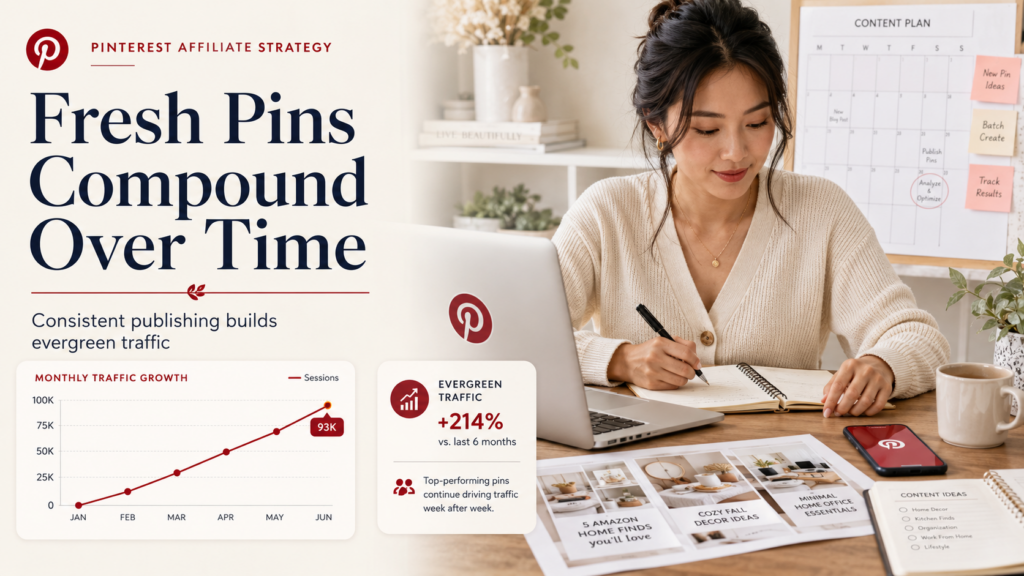
More importantly, Pins last. A well-optimised Pin can generate traffic and commissions for months or even years after it is published, with no ongoing effort required.
On TikTok or Instagram, content has a lifespan measured in hours. On Pinterest, evergreen content compounds over time, which is why the platform has attracted serious long-term attention from affiliate marketers who want passive income, not a content treadmill.
The combination of search intent, long content lifespan, and Pinterest’s expanding native integration with Amazon makes it a structurally superior platform for the kind of compound, multi-layered affiliate strategy described here.
Part 3: Platform Rules, Policies, and How to Stay Compliant
What Pinterest Allows
Pinterest officially permits affiliate links in Pins, including Amazon affiliate links. The rules are clear:
Disclosure is non-negotiable. Every Pin containing an affiliate link must include a disclosure in the description, either a statement like “this Pin contains affiliate links” or hashtags such as `#affiliate` or `#ad`.
This is both a Pinterest requirement and an FTC legal obligation, regardless of where you are based.
No link shorteners. Pinterest flags shortened URLs (Bitly, TinyURL, etc.) as potential spam. Use your full affiliate URL. This is not just a policy recommendation; using shorteners is one of the most common reasons accounts get flagged or restricted.
No repetitive posting of the same link. Posting the same affiliate link repeatedly in a short window is treated as spammy behaviour, even with proper disclosure. Create varied Pins pointing to the same product rather than republishing identical content.
Fresh Pins matter. Pinterest’s algorithm now deprioritises repins (saving existing content) in favour of original, newly-created Pins. Traffic overwhelmingly flows to Fresh Pins. If your strategy relies on resharing existing content, you are working against the algorithm.
What Amazon Allows
Amazon’s Programme Operating Agreement no longer excludes Pinterest as a traffic source. Direct linking to Amazon from Pinterest is permitted, provided you follow disclosure requirements and avoid checkout-adjacent language like “Buy Now” or “Add to Cart” phrasing; “Find it on Amazon” is compliant.
The key thing Amazon cares about is that your affiliate tag remains intact through the click journey. This is exactly what happens when deep linking tools fail: your tag gets lost in a browser redirect, and the sale does not credit to you even if the purchase happens.
The Blog-First Debate: Should You Still Use a Landing Page?
There is a legitimate ongoing debate in the affiliate community about whether to link directly to Amazon from Pinterest or route traffic through a blog post or landing page first.
The traditional argument for using a blog: it provides context and trust before the click, Amazon sees traffic from a website (which often satisfies their eligibility and credibility criteria more easily), and Rich Pin metadata improves how your Pin appears in search. The blog acts as a hub that contextualises the recommendation before sending the visitor to Amazon.
The emerging argument for going direct: in high-intent, trend-driven categories, the additional click through a blog adds friction for buyers who are already ready to purchase. If the Pin itself provides enough context and the product is visually self-evident, a well-optimised direct link can outperform the blog-first approach in conversion rate.
Our recommendation: Use a blog as your default, especially if you are newer to the platform or do not yet have consistent high-performing Pins. But do not treat it as dogma. Test both approaches in your niche, measure click-to-commission rates, and let data determine your approach. For time-sensitive trend content where the purchase window is short, direct linking is worth testing.
Part 4: A Practical Workflow for 2026
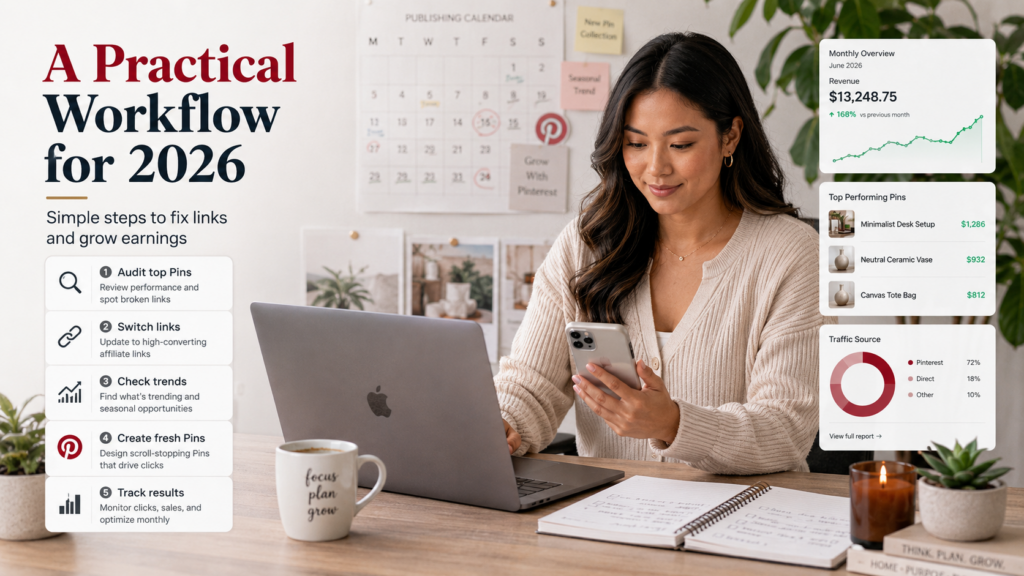
Step 1: Audit Your Existing Pins for the Deep Linking Problem
Open Pinterest Analytics and sort by outbound clicks. Identify your highest-click Pins, then cross-reference with your Amazon dashboard.
If you see substantial clicks but minimal or zero commissions from those Pins, you have likely been hit by the deep linking issue.
Make a list of your top 10–20 Pins by outbound clicks. These are the ones to prioritise for link replacement.
Step 2: Switch to a Working Deep Link Tool
Sign up for Post App (or the current equivalent verified by your creator community) and recreate your affiliate links through their platform. Replace the links on your identified high-click Pins.
Test each updated link on mobile by clicking through the Pin and confirming that it opens the Amazon app directly, not a mobile browser.
You may see an “Are you leaving Pinterest?” interstitial screen; this is normal. What matters is where you land after confirming: the Amazon app, not Safari or Chrome.
Step 3: Build the Compound Revenue Workflow
At the start of each week, run three parallel checks:
Check Pinterest Trends. Use Pinterest’s native Trends tool to identify what is rising in your niche. Seasonal spikes, upcoming events, viral aesthetics, anything creating search momentum. Products pinned to a trending search category will surface more broadly and attract higher-intent traffic.
Check Amazon EPC and Creator Connections. Log into your Amazon dashboard and look for products that carry both strong EPC data (based on your historical performance or category benchmarks) and an active Creator Connections campaign. These overlap products are your priority targets.
Create Pins that serve both. Build Pins that are genuinely responsive to the trending search (not just product images) while featuring the overlap products you identified.
A Pin titled “Sustainable home office upgrades for 2026” that features a high-EPC desk organiser enrolled in a Creator Connections campaign is doing all three things simultaneously.
Step 4: Maintain Consistent Fresh Pin Output
Pinterest rewards steady, original output over time, not bursts of activity followed by silence. Aim for a consistent publishing rhythm. Scheduling tools can help you prepare batches and release them gradually, keeping your account active without requiring daily manual effort.
Repurpose your best-performing content across other formats. A high-converting Pin concept can become a blog post, which then generates another Pin, which can be cross-promoted via email or other channels. Each successful asset becomes a template.
Step 5: Track and Iterate
Within a few days of switching to working deep links and implementing the compound strategy, you should begin to see commission activity that more accurately reflects your click volume. Compare your click-to-commission ratio before and after; the difference is the value of fixing the technical issue.
As Andreea noted after experiencing the shift firsthand:
“I was just tired of selling $100 worth of dresses a day and making 30 cents. This is not motivating… How can I make more from the content I’m already creating? Combining EPC and Creator Connections is the answer.”
Frequently Asked Questions
Does fixing deep links mean replacing all my Pins immediately?
No. Start with your highest-click, lowest-commission Pins; these are the ones with confirmed technical problems.
Work systematically from most-impacted to least. Trying to replace everything at once is a fast path to burnout and errors.
Is there any friction for my audience?
Yes, minimally. There is usually a small “You’re leaving Pinterest” confirmation screen. This is unavoidable given Pinterest’s architecture, but it is a single tap. Users who made it to your Pin and clicked through are already engaged.
The drop-off at this screen is much lower than the drop-off from landing in a browser instead of the Amazon app.
Do I need a website to do Amazon affiliate marketing on Pinterest?
Not strictly, but it is strongly recommended. Amazon requires three qualifying sales within the first 180 days, or the account closes automatically.
A blog or website gives you more control over driving consistent, qualifying traffic. It also makes your application considerably more credible, as Amazon looks for evidence of a functioning content presence.
Are these tools and strategies compliant with platform terms?
As of 2026, the approaches described here, including Post App for deep linking and the Creator Connections compound strategy, are consistent with both Amazon’s Programme Operating Agreement and Pinterest’s affiliate guidelines.
Pinterest has expressed a preference for standard Amazon links but has not enforced restrictions against approved deep linking tools. Always monitor for policy updates, as both platforms adjust terms periodically.
How long before Pinterest starts generating meaningful affiliate income?
Most creators see first commissions within 30–90 days of consistent posting. Meaningful ongoing income typically takes 6–12 months to build.
Pinterest is a long game. Evergreen Pins continue earning long after they are published, which is why the compounding effect is so powerful over time.
Final Thoughts
Pinterest’s value for Amazon affiliates in 2026 is real, but it requires getting two things right simultaneously: the technical infrastructure (working deep links that actually open the Amazon app) and the strategic framework (trend-aligned, high-EPC, Creator Connections-eligible products).
Most creators are failing at the first step and are not even aware that the second step exists. Fixing the deep link problem alone can recover significant lost income from traffic you are already generating.
Adding the compound revenue layer on top of that is what separates creators who earn modest commissions from those who are building material passive income streams.
The platform rewards consistency and intentionality. Pins you create today can drive commissions twelve months from now.
The infrastructure you build this week, working links, compound-incentive products, trend-aligned content compounds in value the longer it runs.
There is no better time to fix what is broken and build what is missing.