

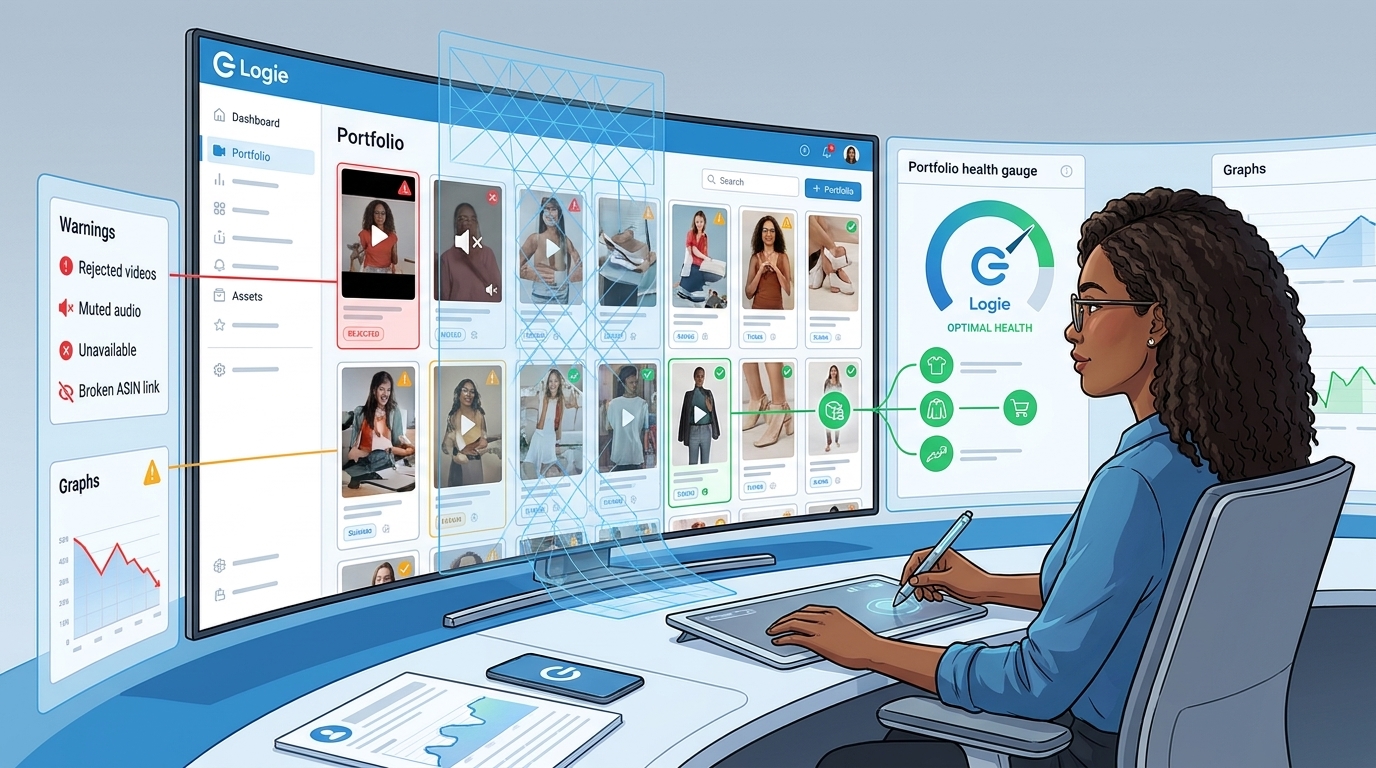
TL;DR: The Quick Strategy
- Check older videos: Review their current status, linked products, playback quality, titles, and recent activity.
- Use AI to prioritize: AI can flag unusual changes and possible causes, but creators must verify product relevance, platform status, and compliance.
- Give every problem one next step: Monitor, correct, reshoot, revise, or stop prioritizing the asset, then document the outcome.
You film a useful product demo, publish it on Amazon, and hope it keeps helping shoppers long after you have moved on to the next video. But when did you last check whether that older video still links to an available product?
A published video can remain polished while becoming less useful commercially. The product may be unavailable, the detail page may now feature a different variation, or the title may no longer describe what shoppers see. A video may also display a status that requires attention, have a playback problem, or appear to lose activity during a reporting delay.
Publishing is not the last step. Older videos need occasional checkups, too.

What Amazon content health means
Content health means checking whether your videos are still usable, linked to the right products, and helping shoppers. A healthy video should accurately represent its associated product, comply with the applicable program rules, play as intended, and provide enough context for a shopper to understand its purpose.
This is not the same as proving that an asset has lost revenue. A rejected video, unavailable product, or sudden decline can indicate revenue at risk, but incomplete reporting rarely shows exactly how much income one issue caused.
Checking 20 videos is manageable. Checking 2,000 is a different job. As a library grows, creators need a repeatable way to find exceptions without manually opening every asset each week.
Five issues to check in an older video library
1. Videos with a status that needs attention
Start with any video that Amazon’s current interface identifies as rejected, removed, pending, restricted, or otherwise unable to appear as expected. Status names and available remedies can vary by program, content type, and interface, so record the exact language shown rather than replacing it with an internal label.
For each exception, note the video ID, date discovered, linked products, current status, and any explanation Amazon provides. Then inspect the content itself. Potential concerns may include unsupported claims, price references, copyrighted material, calls to action, product mismatches, or other policy issues.
Do not assume that the title or thumbnail is responsible. Also avoid repeatedly uploading the same file before identifying a plausible cause. Depending on the options Amazon currently provides, the appropriate response may be to revise the content, follow an available review process, create a new version, monitor the status, or stop prioritizing the asset.
2. Unavailable or outdated products
A useful video has limited commercial value when shoppers cannot purchase the product it demonstrates. Availability also requires context. An item may be temporarily out of stock, permanently discontinued, divided into new variations, or replaced by a different model.
The video may still look great. Unfortunately, shoppers cannot buy an out-of-stock blender.
Distinguish a temporary inventory problem from genuine product obsolescence. Monitoring may be enough when an item is expected to return. If the product has been discontinued, investigate whether the footage remains accurate for any product that can legitimately be associated with it.
A successor model is not automatically a valid replacement. Only change an association if Amazon permits it and the footage accurately represents the exact product and variation. A newer model may require a new video.
3. Product and variation mismatches
An active product page does not prove that the association is still correct. Catalog pages, bundles, sellers, variations, and product descriptions can change. A video showing one size, generation, color, attachment set, or compatibility profile may no longer match the product emphasized on the page.
Hypothetical example: Suppose your video demonstrates a first-generation vacuum, but the linked page now features a newer model with different attachments. The page still loads, so a basic link check passes. A product-match review catches the problem.
Review the footage against the exact item and variation currently presented. Ask whether a reasonable shopper would believe the video accurately helps them evaluate what they would receive. If not, correct the association where permitted or create a new video.
4. Titles that no longer help
A clear title helps shoppers understand the video and helps you find it during an audit. A title such as My thoughts reveals little about the product or the purpose of the video.
Useful titles usually identify the product category and the type of help offered. That might include a setup walkthrough, fit demonstration, compatibility check, feature overview, comparison, or long-term-use review. Keep the wording factual and avoid unsupported promises or keyword stuffing.
Clear titles also make it easier to organize source files and adapt eligible content for other commerce channels. Availability and eligibility for off-site shopping programs vary, so verify the current requirements before republishing or linking an asset elsewhere.
5. Performance changes and reporting gaps
A sudden decline does not automatically mean the content is bad. Possible causes include lower shopper demand, inventory loss, a price change, reduced visibility, a changed product page, playback trouble, or delayed reporting.
Checking the cause first can save you from fixing the wrong thing. If many unrelated videos decline during the same period, investigate reporting completeness and broader conditions before editing individual assets. If only one video changes, inspect its status, product association, availability, and playback.
Use more than one time window when data is available. A short gap should not erase the historical context of an asset that has performed consistently for months.
How AI can help, and where human review is essential
AI is most useful here as a prioritization tool. It can compare available records, identify unusual changes, cluster similar problems, flag vague titles, and direct attention toward assets that may deserve investigation.
In comments about Logie’s product direction, Ehud Segev describes the goal as using AI to investigate what may have gone wrong and suggest possible fixes for creators to review. That is a goal for assisted diagnosis, not a claim that AI can see Amazon’s private ranking systems or provide an official explanation for every platform decision.
Depending on the data supplied and the capabilities of the tool being used, an AI-assisted review may help identify:
- Videos whose recorded status has changed.
- Products that appear unavailable or materially different.
- Associations that may not match the product shown in the footage.
- High-value assets with unusual changes in recent activity.
- Titles that are generic, duplicated, or inconsistent with product records.
- Patterns that may indicate a reporting gap rather than an asset-level problem.
These flags are starting points. AI should present likely causes and supporting signals. It should not claim to know an internal Amazon decision that it cannot observe.
It should also not attach a loosely related product, rewrite factual claims without verification, or recommend deletion based only on a short-term performance score. The strongest model is simple: AI detects and organizes; the creator verifies and decides.
A repeatable content-health audit
A monthly audit is a practical starting point for a smaller library. Larger teams may prefer weekly exception checks and a deeper monthly review. These schedules are workflow suggestions, not Amazon requirements.
Step 1: Create a basic record
Give every video a stable record. Capture the fields available through your current tools and manually add the rest where needed.
Copyable audit checklist:
- Video ID or stable internal identifier
- Video title
- Publication date
- Current platform status
- Linked ASIN
- Product and variation shown
- Issue detected
- Evidence or screenshot
- Recent activity, where available
- Next action
- Owner
- Follow-up date
ASIN means Amazon Standard Identification Number, the identifier used for a product in Amazon’s catalog. Export fields where your tools permit it, but expect some information to require manual recording.
Step 2: Triage clear exceptions
Review status problems and playback issues before investigating modest performance changes. Verify each condition directly in the current Amazon interface when possible.
Keep a playback problem separate from an official platform status. For example, audio that appears missing during playback should be documented as an observed media issue unless Amazon explicitly labels it otherwise.
Step 3: Validate the linked product
Open the current product page and compare it with the footage. Begin with videos that previously produced meaningful commissions or shopper activity.
Confirm the following:
- The product is available or likely to return.
- The listing still represents the exact item shown.
- The correct model, generation, size, color, bundle, and variation are selected.
- Compatibility and feature statements in the video remain accurate.
- Any proposed association change is permitted by Amazon.
If the footage does not accurately represent the exact product, do not force the match. Plan a new video instead.
Step 4: Review titles and shopper intent
Flag titles that are unusually vague, duplicated, or inconsistent with the linked product. Then classify each video by its purpose, such as setup, demonstration, fit, comparison, troubleshooting, durability, or use case.
This classification can reveal content gaps. A library with ten unboxings and no setup guide may have plenty of footage but limited help for shoppers closer to a purchase decision.
Step 5: Put performance in context
When asset-level information is available, compare recent activity with historical patterns, seasonality, product availability, and the timing of status or listing changes. Prioritize using several signals:
- Content status: Can the video currently function as intended?
- Product match: Does it represent the exact item and variation?
- Commercial opportunity: Is the product available and still relevant?
- Performance trend: Is measured activity stable, rising, falling, or absent?
- Recovery potential: Is there a compliant, accurate action worth taking?
This is an internal prioritization method, not an official Amazon score and not a calculation of lost revenue.
Step 6: Assign one next action
Every flagged video should leave the audit with one action, one owner, and a follow-up date. Possible actions include:
- Monitor a temporary inventory issue.
- Correct an association if Amazon permits it and the footage remains exact.
- Rewrite a vague or inaccurate title.
- Investigate a status or policy issue.
- Review an observed playback or audio problem.
- Create a new video for a different model or variation.
- Repurpose a healthy asset for another channel when eligible.
- Stop prioritizing an asset with no realistic recovery path.
Retiring an asset does not always mean deleting it. It may simply mean removing it from the active recovery queue while preserving the record and source file.
A compact priority matrix
- Critical: A status or playback problem affects a video with strong historical value. Verify the condition and determine the permitted recovery path.
- High: A historically useful video points to an unavailable product or mismatched variation. Check the exact product before changing anything. A newer model may need new footage.
- Investigate: Many unrelated assets decline at once. Check reporting completeness and broader conditions before editing individual videos.
- Medium: An available, accurately matched product has a vague title and weak activity. Improve clarity, then review a comparable period.
- Low: A low-value asset covers a discontinued product with no accurate replacement. Preserve the record and stop prioritizing recovery.
Use the audit to guide future publishing
A content-health review does more than identify old problems. It can show what to produce next. If products in one category are replaced frequently, plan shorter update cycles. If setup guides remain useful longer than unboxings, invest in more problem-solving content. If seasonal videos regain activity each year, check them before the relevant shopping period.
Publishing early can create more time to identify errors and collect performance signals, but it does not guarantee indexing, visibility, or placement. The practical goal is to leave enough time to verify that the video, product, and association are ready when shopper interest increases.
You do not need to audit the entire library today. Start with 10 videos that previously earned commissions. Check their status, linked products, playback, titles, and recent activity, then give each problem one next step.