
TL;DR: The Quick Strategy
- Show people the product they came for: Put the featured video and matching product near the top, with related collections underneath.
- Match the page to your current content: If a Reel, Story, TikTok, or YouTube video is driving traffic, make its product easy to recognize and find.
- Maintain the page like a storefront: Remove expired offers, check product availability, place disclosures near recommendations, and measure which paths generate useful clicks.
Someone watches your product demo, taps your bio link, and lands on twelve buttons. Which one leads to the thing they just saw?
That is the problem a shoppable link in bio should solve.
A generic link list can still be useful for directing people to social profiles, newsletters, websites, and other destinations. But when someone arrives after watching a product recommendation, a long list of unrelated choices creates unnecessary work. They came for the appliance, skincare product, camera, or travel accessory, not your entire internet presence.

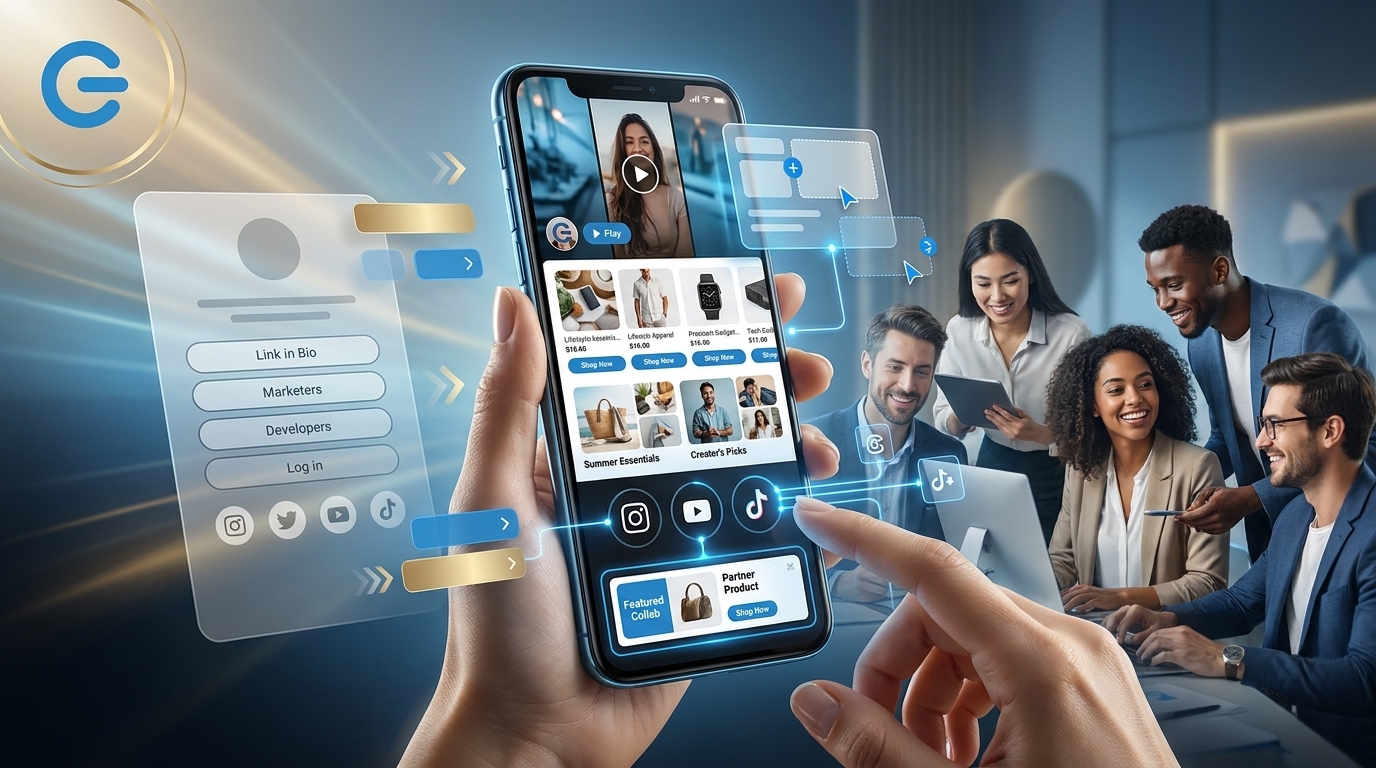
A creator storefront can put the relevant content and product together. A customizable Logie Go Shopping page gives creators a central place to organize featured videos, product recommendations, collections, social profiles, direct brand campaigns, and approved outbound links to destinations such as Amazon, Walmart, LTK, or a brand website.
Those outbound links may send shoppers to a retailer or brand site to complete a purchase. The storefront organizes the recommendation and shopping path; it should not be assumed that checkout happens directly on the page.
The point is not a prettier page. It is helping someone find the product you just recommended without sending them on a scavenger hunt.
The problem with a generic link list
The familiar link-in-bio format usually includes a profile image, a short introduction, and a stack of buttons. That works reasonably well when visitors have a broad question, such as where to follow you or how to contact you. It is less helpful when they arrive looking for one specific item.
Imagine that someone watches an Instagram Reel demonstrating a countertop appliance. The call to action says the product is available through the link in bio. After tapping, the viewer sees buttons for a newsletter, YouTube channel, Amazon storefront, beauty favorites, latest sponsorship, and several social profiles.
The appliance may be somewhere inside one of those destinations, but the viewer has to investigate. Every extra choice gives that person another chance to lose track of what they came for.
A better page preserves the context of the post. It shows a recognizable video or campaign image, names the featured product clearly, and provides an obvious route to the appropriate retailer, collection, or brand page.
The distinction is not simply a link page versus a storefront. Some link-in-bio services also offer product and commerce features. The more useful question is whether your page makes the featured product easy to find.
What to put at the top of a shoppable link in bio
The first screen matters because many mobile visitors will decide quickly whether the page contains what they expected. Treat the top of the page as space for what you are promoting now, not a profile header you set once and forget.
Before arranging the page, ask one question: What did this visitor see immediately before tapping the link?
If a Reel featured a coffee maker, lead with that coffee maker. If several Stories covered dorm essentials, lead with the dorm collection. If a YouTube review compared three microphones, show the comparison and clearly identify all three options.
Traffic from Instagram
Instagram visits may come from a Reel, Story, carousel, or profile search. When a specific post is driving attention, place its featured product and supporting content near the top. For a themed series, use a clearly named collection such as “Products from my dorm room series” instead of a broad catalog.
Story traffic can move from content to destination quickly, but creators should test whether it produces stronger shopping behavior for their own audience rather than assuming that it will. For platform-specific ideas, see Logie’s guide to deep linking in Stories.
Traffic from TikTok
For TikTok traffic, test a simple first screen with a familiar thumbnail, the same informal product name used in the video, and a clear shopping action. Avoid making viewers translate “the mini vacuum from my video” into a long manufacturer title hidden inside a general collection.
If one profile URL supports several active videos, feature the current priority first and place a “Recently featured on TikTok” collection directly below it. This helps visitors from older posts without giving every product equal visual weight.
Traffic from YouTube
A visitor coming from a detailed review may want more information than someone arriving from a short demonstration. Test a layout that pairs the exact product with the relevant video, then offers useful alternatives, accessories, or comparison options underneath.
If you distribute the same product demonstration across several platforms, adjust the title, thumbnail, and call to action for each audience while keeping the shopping destination consistent. Logie’s guide to repurposing Amazon videos across social platforms offers a starting point.
When one URL serves every platform
Many creators use the same bio URL everywhere. That does not mean the page will automatically know what each visitor wants. You can still make it easier to navigate:
- Prioritize the current campaign: Move the product receiving the most active promotion to the top.
- Use source-based labels: Add sections such as “Seen on TikTok,” “From my latest YouTube video,” or “This week on Instagram.”
- Keep a stable fallback collection: A section such as “Shop my most requested products” helps profile visitors who did not arrive from a specific post.
- Use tracked campaign links: UTMs and other tracking parameters can identify traffic sources when supported by your analytics setup. They do not automatically personalize or reorder the storefront.
How to arrange the rest of the storefront
Once the featured recommendation is in place, organize the rest of the page around the questions a shopper is likely to ask next. You can move this week’s featured product to the top without rebuilding the entire page.
1. Pair the featured video with the exact product
Video provides context, proof, and the creator’s point of view. The product link provides the next action. Keep them close enough that visitors do not need to reconstruct the relationship.
Use the same product name, color, size, or model shown in the content when possible. If the link leads to a collection or search page rather than the exact item, say so clearly.
2. Add focused product collections
Collections are more useful when they solve a recognizable problem. Instead of displaying every product you have mentioned, group recommendations by activity, season, room, price range, or campaign theme.
Useful collection names might include:
- Creator desk essentials
- Travel gear under $50
- Products I use for livestreaming
- Small-apartment kitchen picks
- Recently featured products
Accurate product graphics can help visitors scan a collection. If you create visual shopping assets, review Logie’s guide to Amazon collages and cross-posting practices. Any reused image should reflect the current product and comply with applicable merchant and platform rules.
3. Label outbound shopping destinations clearly
Creators may need to link to an Amazon storefront, Walmart page, LTK collection, brand website, or another approved affiliate destination. These may be standard outbound links rather than native storefront integrations, so represent each destination accurately.
Labels should explain what the visitor will find. “Shop my Amazon storefront” is appropriate when the storefront itself is the destination. In other cases, “Shop the exact office setup” or “See the complete skincare routine” gives the visitor a better reason to tap.
4. Give direct brand partnerships dedicated space
A sponsored product, creator discount, or direct-to-consumer campaign may deserve its own section with campaign media and a specific call to action. This allows marketplace recommendations and direct brand deals to coexist without becoming an unranked list.
Place a clear sponsorship or affiliate disclosure near the relevant recommendation, not only on a separate policy page. The exact wording may depend on applicable law, platform requirements, and the rules of the affiliate or brand program.
5. Keep social and contact links secondary
Social profiles, newsletters, review archives, and contact pages can still be valuable. Unless audience growth is the main campaign objective, place them below the primary shopping content so they do not compete with the product visitors came to find.
How to migrate from a traditional link-in-bio service
You do not need to move every historical link at once. A controlled migration makes the page easier to test and protects useful destinations.
Step 1: Audit the current links
List every destination on the existing page. Identify which links support revenue, audience growth, active campaigns, or contractual obligations. Remove duplicates, expired offers, and buttons whose purpose is no longer clear.
Step 2: Choose the highest-intent content
Review recent posts, audience questions, product clicks, and sales reports where available. Select one featured video and one primary product or collection that reflect what you are currently promoting.
Step 3: Build a simple first version
Start with a small number of useful sections. A practical first version might include one featured video-product pair, two focused collections, one current brand partnership, and a compact social section.
Step 4: Test every path on mobile
Open the page on your phone and tap every featured product, retailer, and brand destination. Confirm that the correct item opens, the landing page works, and the offer is still current. Check that disclosures are visible without requiring visitors to search for them.
Step 5: Update the bio URL consistently
Replace the previous link in relevant social profiles, channel descriptions, pinned posts, campaign documents, saved replies, and creator media materials.
Step 6: Preserve data before canceling another service
If your existing link-in-bio plan contains analytics, custom-domain settings, or integrations you still need, export the available records before canceling. Compare the old and new experiences over a reasonable campaign period. Change tools because the new setup creates a clearer path, not simply because it is newer.
What to measure and maintain
Page views alone do not show whether visitors found what they wanted. Build the best measurement view available from your storefront, web analytics, affiliate dashboards, merchant reports, and campaign tracking.
- Visits by source: Identify which platform, post, or tracked campaign generated the visit.
- Outbound click rate: Measure how many visitors continued to a product, collection, retailer, or brand destination.
- Product and section engagement: Compare which recommendations attract clicks when your available tools support that level of reporting.
- Orders or attributed revenue: Use affiliate and brand reporting where available, while accounting for different attribution windows.
- Product availability: Manually check prominent items if your tools do not provide automatic availability monitoring.
- Campaign freshness: Confirm that the first screen reflects what you are promoting now.
Do not assume that every metric is reported natively by one platform. Section-level performance may require additional analytics, separate tracked links, or manual comparison. Retailer privacy controls, device switching, and attribution rules can also leave gaps between a storefront click and a reported purchase.
Use the data directionally. If a featured product receives little engagement despite strong social traffic, test whether the thumbnail is recognizable, the label matches the post, the product is placed high enough, or the outbound destination creates confusion.
Weekly storefront checklist
- Review the next seven days of scheduled content and partnerships.
- Move the highest-priority product, video, or collection to the first screen.
- Test every featured destination on a mobile device.
- Remove unavailable products and expired offers.
- Place current affiliate and sponsorship disclosures near the relevant recommendations.
- Record traffic and outbound-click baselines before major layout changes.
- Save effective arrangements as templates for future campaigns.
Make the bio link part of the publishing workflow
A shoppable link in bio works best when it is updated alongside the content that sends people there. Publishing the video is only part of the job. The promised destination also needs to be ready.
Before your next post goes live, open your bio link on your phone. Can you find the featured product without hunting? If not, start there.