

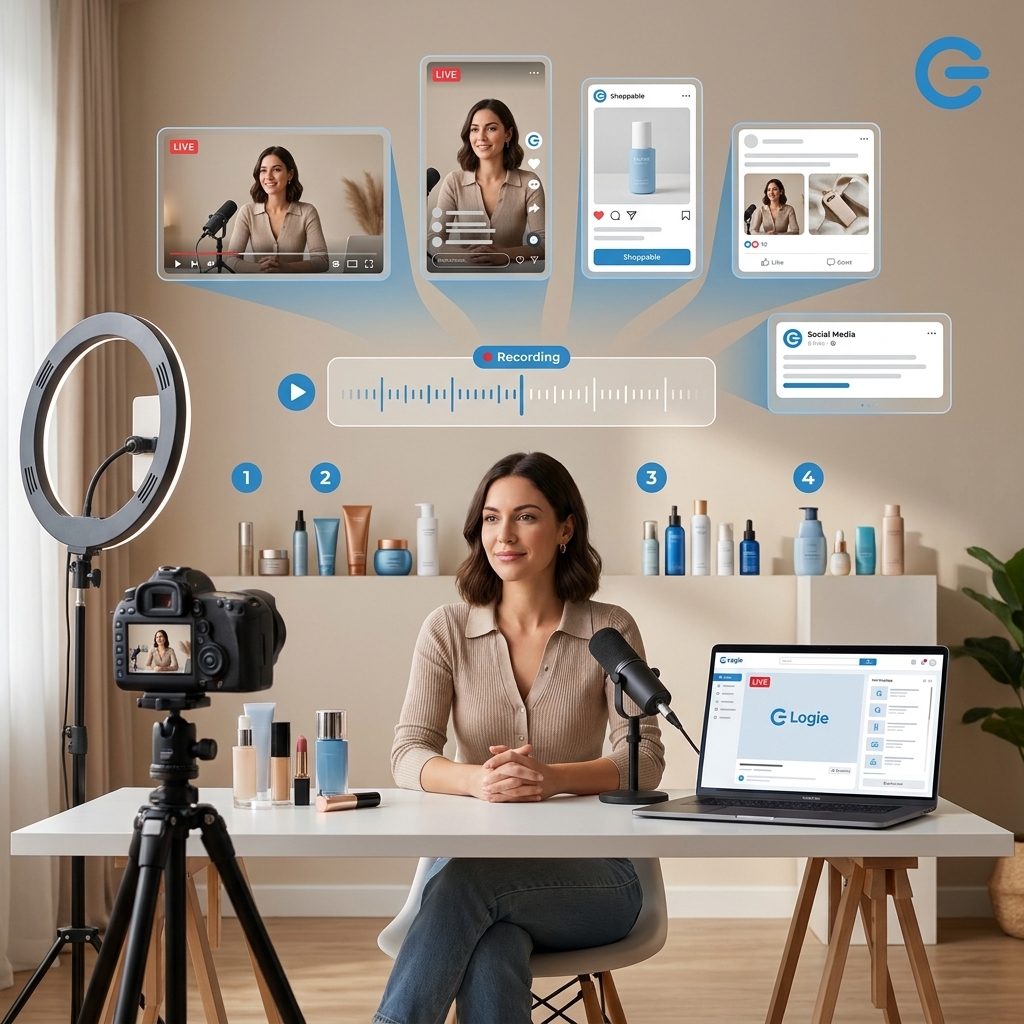
TL;DR: The Quick Strategy
- Publish priority content early: Amazon influencer content can take up to 48 hours to publish, and a rejected submission may require editing and another review cycle.
- Batch up to 20 products in one livestream: A structured two- or three-hour broadcast can replace 20 separate filming sessions while generating reusable demonstrations, reactions, and answers.
- Turn one recording into a content bank: Edit the livestream into individual shoppable videos, vertical clips, product photos, Stories, Reels, and other assets tailored to each channel.
When samples arrive shortly before an October Prime Day sales event, the instinct is often to film as quickly as possible and submit everything at once. Speed matters, but rushed production without a publishing plan can create a different problem: content gets trapped in review, rejected over a fixable issue, or published after the highest-intent shopping window has already started.
The stronger approach is to treat every late-arriving product as part of a batch-production system. Instead of creating one isolated video at a time, creators can use a single livestream to demonstrate a large group of products, capture authentic talking points, identify the strongest moments, and generate a bank of channel-specific assets.
Community strategist and creator Altovise Pelzer summarized the production opportunity clearly: “You’re able to go ahead, and even if you do a 3-hour live stream, a 2-hour livestream, you can knock out up to, like, 20 products.”

The operative phrase is up to 20 products. Twenty should not become a quota that forces creators to rush through complex demonstrations. It is a useful upper-end target for products that can be explained, shown, and evaluated efficiently. The real strategy is to consolidate setup, filming, and presentation time so each product does not require a separate production day.
Why Prime Day content needs a publishing buffer
A creator’s deadline is not the moment a video is uploaded. The meaningful deadline is when that video becomes available to shoppers. If publication can take up to 48 hours, waiting until the beginning of the event to submit a high-priority asset leaves little room for review delays or revisions.
A rejected video can create a second production cycle. The creator must identify the problem, revise or reshoot the content, export it again, resubmit it, and wait through another review period. Even a minor issue can therefore push an otherwise valuable video beyond the most time-sensitive portion of the promotion.
This is why creators should work backward from the anticipated shopping window rather than from the day a sample arrives. The broader campaign structure including preparation, live-event coverage, and post-event monetization is explored in Amazon Prime Day 2026: The Ultimate Creator Strategy Guide. For production purposes, the key principle is simple: the products with the strongest revenue potential and the highest likelihood of receiving a deal should enter the workflow first.
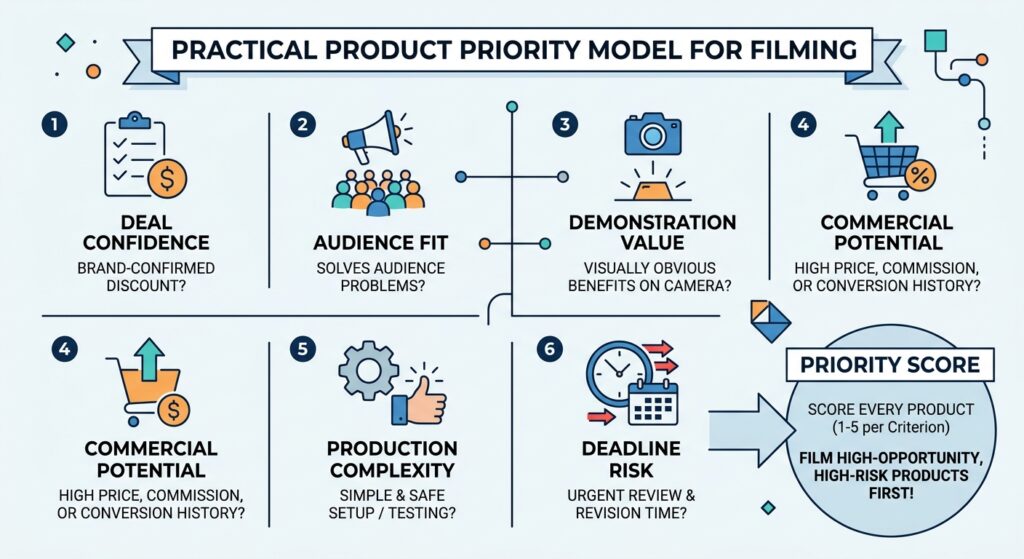
A practical priority model
Assign every product a simple priority score before filming. A spreadsheet is sufficient. Score each item from one to five across the following criteria:
- Deal confidence: Has the brand confirmed that the exact product or variation will be discounted?
- Audience fit: Does the product solve a problem your existing audience already discusses?
- Demonstration value: Can its benefit be made visually obvious on camera?
- Commercial potential: Does the expected price, commission opportunity, or conversion history justify immediate attention?
- Production complexity: Can it be tested safely and credibly without lengthy assembly, charging, cleaning, or specialist setup?
- Deadline risk: How much review and revision time remains before the event?
Film high-opportunity, high-deadline-risk products first. A simple household product with a confirmed promotion may deserve an earlier slot than an expensive item whose deal status is uncertain or whose demonstration requires several days of testing.
The 20-product livestream production model
The advantage of livestreaming is not merely that the audience can watch in real time. A well-planned live session functions as a long-form production environment. The creator sets the lights, camera, audio, background, and product staging once, then captures demonstrations for many products in sequence.
For creators who are still developing their live format, Amazon Live in 2026: The Complete Influencer Guide provides additional context on livestream structure, brand opportunities, and sustainable income. The Prime Day batch model builds on that foundation by treating the replay as raw material for a larger shoppable content system.
How much time does each product receive?
A two-hour livestream divided evenly across 20 products allows six minutes per item before accounting for the introduction, transitions, audience questions, and breaks. A three-hour stream allows nine minutes per item. In practice, creators should not divide time evenly. Straightforward products may need three to five minutes, while products that require setup, comparison, or a live test may need eight to twelve minutes.
| Livestream length | Product target | Planning implication |
|---|---|---|
| 60–90 minutes | 6–10 products | Best for detailed demonstrations or one tightly defined category. |
| Two hours | 12–20 products | Requires concise segments, pre-opened packaging, and disciplined transitions. |
| Three hours | 15–20 products | Allows more testing, audience questions, comparisons, and recap moments. |
The goal is useful coverage, not superficial product mentions. If a product cannot receive enough time for a credible explanation, move it into a second broadcast or create a dedicated video.
Step 1: Prepare products before going live
A high-volume livestream succeeds or fails before the camera turns on. Twenty unopened shipping boxes do not create an efficient show. They create dead air, missing accessories, uncharged devices, and avoidable uncertainty.
Before the stream, creators should:
- Confirm the exact product variation. Check size, color, model, and listing so the demonstration matches the item viewers can purchase.
- Inspect and test the product. Do not discover a defect, missing component, or confusing setup process during the live presentation.
- Charge, wash, assemble, or activate items as needed. Preserve one or two unopened products for authentic unboxing moments, but prepare the rest for immediate use.
- Review current claims and instructions. Avoid unsupported health, performance, savings, or durability claims. Describe what can be observed and verified.
- Create a product card. Record the product name, three useful features, the problem it addresses, one limitation or qualification, and the intended buyer.
- Arrange products in show order. Number the physical products and match those numbers to the run of show.
- Document sponsorship and sample status. Prepare clear disclosures for gifted items, paid partnerships, and affiliate relationships.
Keep prices and discounts out of evergreen spoken segments unless they are confirmed and central to the live event. A statement such as “Check the current listing for today’s price and availability” generally ages better than permanently embedding an unverified deal amount in a reusable clip.
Step 2: Build a show that can be edited later
A lively broadcast is not automatically easy to repurpose. If every product discussion overlaps with unrelated audience comments, music, or transitions, the editor may struggle to isolate clean clips. The show should feel natural to live viewers while containing clear edit points.
Use the same modular structure for each product:
- Reset: Pause briefly, bring the next product fully into frame, and say its complete name.
- Hook: Identify the buyer problem or use case in one sentence.
- Demonstration: Show the product in use rather than only describing its specifications.
- Proof: Highlight a visible detail, comparison, test result, material, control, or before-and-after moment that viewers can evaluate for themselves.
- Qualification: Explain who it is for – and, when relevant, who may not need it.
- Action: Direct live viewers to the appropriate product link without making unsupported urgency or availability claims.
- Edit pause: Leave one or two seconds of clean space before moving to the next item.
This repeated structure gives the editor a recognizable beginning and ending for every product. It also improves the live experience because viewers who join halfway through can quickly understand what is being shown.
Capture a clean master recording
When platform rules and the creator’s setup permit it, record a high-quality local master in addition to the livestream. The local recording may provide cleaner video and audio and can avoid permanently baking live comments or interface elements into every derivative asset. Creators should verify platform terms, music rights, brand usage rights, and any exclusivity obligations before republishing footage.
If vertical social clips are a major objective, frame the primary subject so a vertical crop will not remove the product or demonstration. A centered, moderately wide composition is usually more reusable than placing essential details at the far edges of a horizontal frame.
Step 3: Turn the replay into individual shoppable videos
After the live ends, do not immediately watch the entire recording from the beginning. Use the run of show, timestamps, or markers recorded by an assistant to jump to each product segment. This turns a long replay into a manageable editing queue.
For each product, look for four possible assets:
- A focused product video: A concise demonstration that stands on its own without references to earlier parts of the live.
- A short vertical hook: A compelling problem, reaction, comparison, or visual result that can introduce the product on Instagram or Facebook.
- A question-and-answer clip: A useful audience question followed by a clear response.
- A still image: A sharp frame showing the product, result, scale, or key feature for use in a shoppable photo or supporting post.
Not every segment will generate all four assets. A credible workflow selects the strongest format rather than forcing every product into an identical deliverable package.
Use a naming system that survives campaign pressure
Prime Day production becomes harder when files are named “final,” “new final,” and “final 2.” Use a consistent naming structure such as:
brand-product-platform-angle-version-date
For example: brand-coffeemaker-amazon-demo-v1-2026-09-18. Track the corresponding listing, disclosure status, approval status, caption, publication URL, and performance data in the same campaign sheet.
Step 4: Adapt the idea instead of blindly cross-posting
Repurposing does not mean uploading the exact same file everywhere. The core demonstration can remain consistent, but the opening, duration, aspect ratio, caption, link path, and call to action should reflect how people use each platform.
Amazon
Prioritize product clarity and purchase usefulness. Remove unrelated live chatter, references to products not included in the clip, stale event language, and any claims that cannot be supported. The viewer should quickly understand what the product is, how it works, and whether it fits their needs.
Instagram and Facebook
Lead with the most visually decisive moment. Add readable on-screen text and captions, because many viewers will encounter the clip without sound. Stories can support fast-moving campaign coverage, while Reels can carry demonstrations with a longer useful life. When linking from Stories, ensure the destination is as close to the featured product as platform and program rules allow. Logie’s Deep Linking in Stories 2026 growth playbook explains why reducing the number of taps between discovery and the relevant product can strengthen the shopping journey.
Use search-oriented titles, clear product imagery, and evergreen problem-solving language where the channel still fits the creator’s strategy. A clip titled around a use case can remain useful after the sale, whereas a generic “Prime Day deal” message may lose relevance immediately. Creators must confirm current linking, affiliate, and disclosure requirements before publishing.
Short-form video and other social channels
Build the opening around the outcome rather than the product name. A viewer is more likely to stop for a visible solution than for a formal introduction. Keep the edit honest: do not manufacture results, remove important qualifications, or present a gifted sample as an independent purchase without disclosure.
The late-arriving sample triage plan
When a sample arrives late, the workflow should change according to the remaining time. A creator with a week has different options from a creator with 24 hours.
Seven or more days before the sales window
- Test the product thoroughly.
- Include it in the next scheduled batch livestream.
- Edit and submit the primary Amazon asset first.
- Create platform-specific social clips while the primary asset is in review.
- Preserve evergreen versions without temporary deal language.
Three to six days before the sales window
- Move confirmed, high-fit deals to the top of the production queue.
- Use a shorter category-based livestream or a dedicated live segment.
- Submit the cleanest, simplest compliant video rather than overcomplicating the edit.
- Prepare Stories, photos, and short clips as supporting coverage.
- Monitor review status so revisions can be handled promptly.
Forty-eight hours or less before the sales window
- Do not assume a newly submitted video will be available in time.
- Use live coverage when appropriate and allowed.
- Create an honest unboxing or first-look asset, clearly distinguishing first impressions from a full review.
- Publish compliant shoppable photos or short social content where those formats can be activated more quickly.
- Continue producing an evergreen video if the product will remain relevant after Prime Day.
The final point matters. A sample that misses the event is not necessarily wasted. If the product fits the audience, a useful evergreen demonstration can continue working during holiday shopping and later promotions. Do not compromise testing quality merely to attach an event label to the content.
How to prevent avoidable rejections
No checklist can guarantee approval, and requirements can change. Creators should always review the current rules for each platform and program. However, a pre-submission quality check can catch common production problems before they consume the review buffer.
- Confirm that the product shown matches the linked listing and variation.
- Make sure the product is visible, in focus, and demonstrated under adequate lighting.
- Remove copyrighted music or other media unless the necessary rights apply to every intended placement.
- Check that captions and overlays are legible and do not cover essential product details.
- Avoid unsupported medical, financial, performance, or comparative claims.
- Do not state an unconfirmed price, discount, inventory level, or deadline as fact.
- Disclose affiliate relationships, gifted products, and paid partnerships as required.
- Remove irrelevant references to other products when creating a standalone clip.
- Listen to the exported file with headphones to catch distorted, missing, or uneven audio.
- Watch the final asset on a phone before submission.
Whenever possible, create a “clean” master without platform-specific stickers, copyrighted audio, or a temporary CTA. Duplicate that master and add the appropriate disclosures, links, captions, and formatting for each destination.
A sample two-hour run of show
A 20-product broadcast needs visible structure. The following model can be adjusted for category complexity and audience behavior:
| Time | Segment | Purpose |
|---|---|---|
| 0:00–0:05 | Opening and disclosures | Explain the theme, set expectations, and clarify affiliate or brand relationships. |
| 0:05–0:30 | Products 1–5 | Lead with strong, visually demonstrable products. |
| 0:30–0:35 | Questions and recap | Answer recurring questions and restate key comparisons. |
| 0:35–1:00 | Products 6–10 | Continue the first category or transition to a related use case. |
| 1:00–1:05 | Reset | Recap disclosures, check the feed, and prepare the next group. |
| 1:05–1:30 | Products 11–15 | Feature the next category with clean edit points. |
| 1:30–1:35 | Questions and comparison | Address objections and compare relevant options without unsupported claims. |
| 1:35–1:55 | Products 16–20 | Close with concise demonstrations and high-audience-fit items. |
| 1:55–2:00 | Final recap | Summarize buyer types, remind viewers to verify current details, and close clearly. |
If the audience is actively asking useful questions, extend the stream or reduce the product count rather than sacrificing clarity. Engagement can generate valuable objection-handling clips that a scripted shoot would not capture.
What creators, managers, and brands should measure
The number of videos published is only one measure of success. A batch system should also reduce production effort and improve the commercial usefulness of each recording.
Track:
- Products covered per production hour to understand batching efficiency.
- Usable assets per livestream to measure repurposing yield.
- Time from sample arrival to first submission to identify operational delays.
- Approval and revision rates to improve quality control.
- Views, clicks, conversion, and attributed revenue where reporting is available.
- Performance by hook and format to identify which demonstrations deserve additional distribution.
- Evergreen performance after the event to assess the content’s longer-term value.
Creator managers can support the system by maintaining the product tracker, confirming campaign obligations, recording timestamps during the live, and coordinating approvals. Brands can help by shipping samples earlier, identifying the exact promoted variation, providing accurate product documentation, confirming usage rights, and avoiding unnecessary approval bottlenecks.
The strategic payoff: a reusable content bank
The 20-product livestream model is not about working faster at the expense of trust. It is about removing repeated setup work so creators can spend more time demonstrating products well. One organized session can generate live-shopping engagement, standalone Amazon influencer content, social discovery clips, shoppable photos, audience Q&A, and evergreen assets for later campaigns.
The strongest Prime Day workflow therefore has two tracks. The first is urgent: publish high-priority product content early enough to absorb review and revision time. The second is durable: preserve clean footage and evergreen explanations that remain useful after the October sales rush.
Start by choosing the five highest-priority samples in your current queue. Build their product cards, place them at the front of your next livestream, and design each segment so it can stand alone after editing. Once that structure works for five products, scaling it to ten or twenty becomes a production decision – not a reinvention of your entire content process.